
All your swings, sorted
Every range session and round in one place, each shot with its shape and estimated carry. With location on, sessions are named after the course or range.
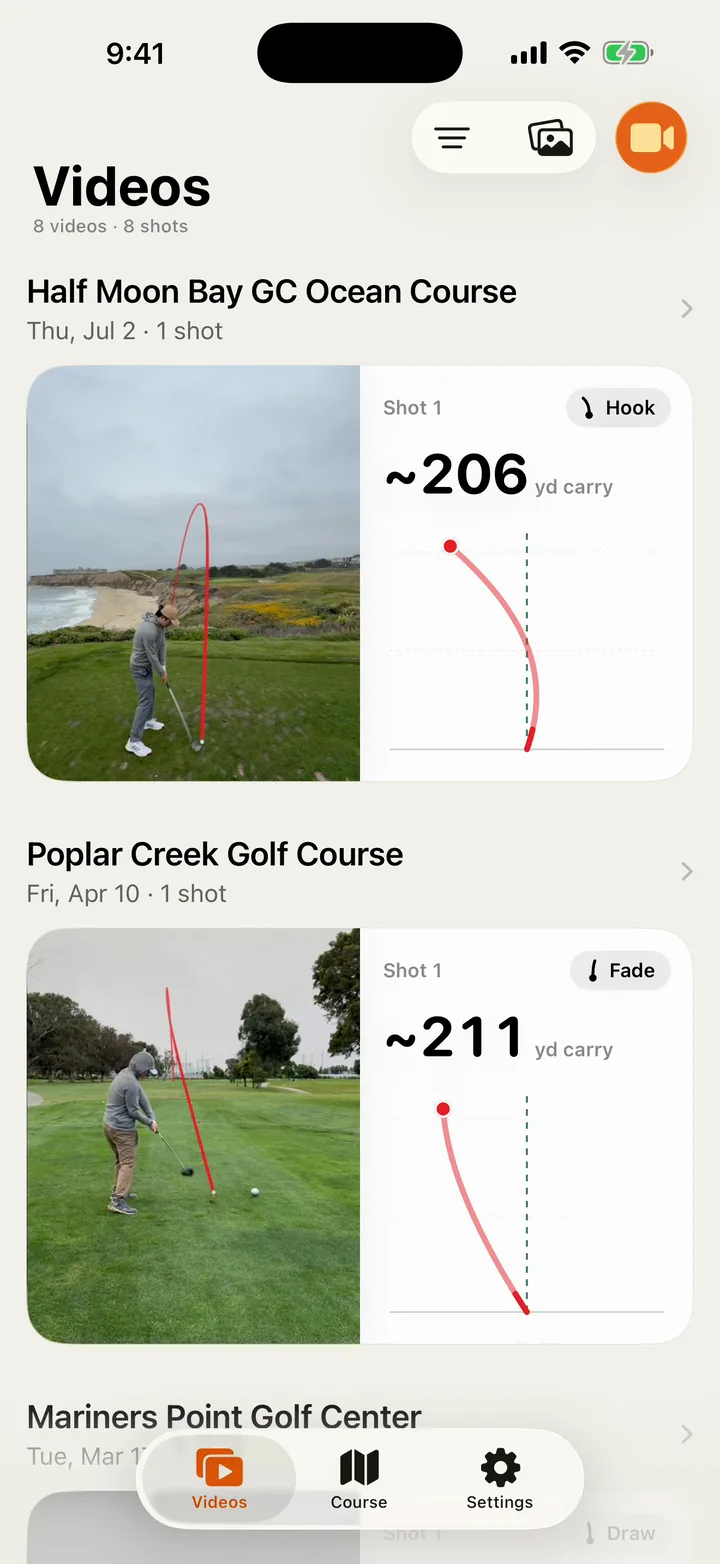
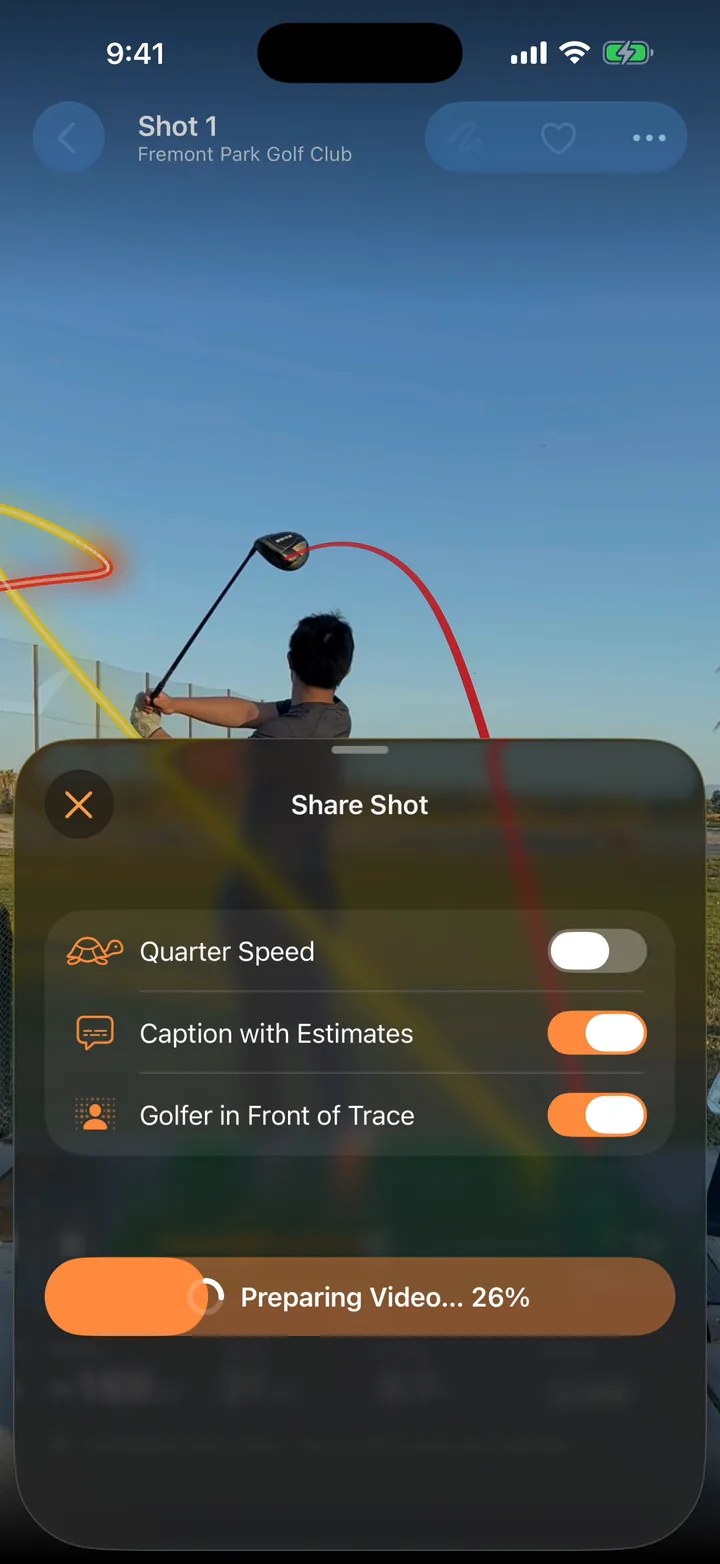
Film your swing and ShotDraw draws the ball’s flight on the video, like on TV. Carry, apex and shape, estimated right on your iPhone.
Coming soon to theApp Store
Trace
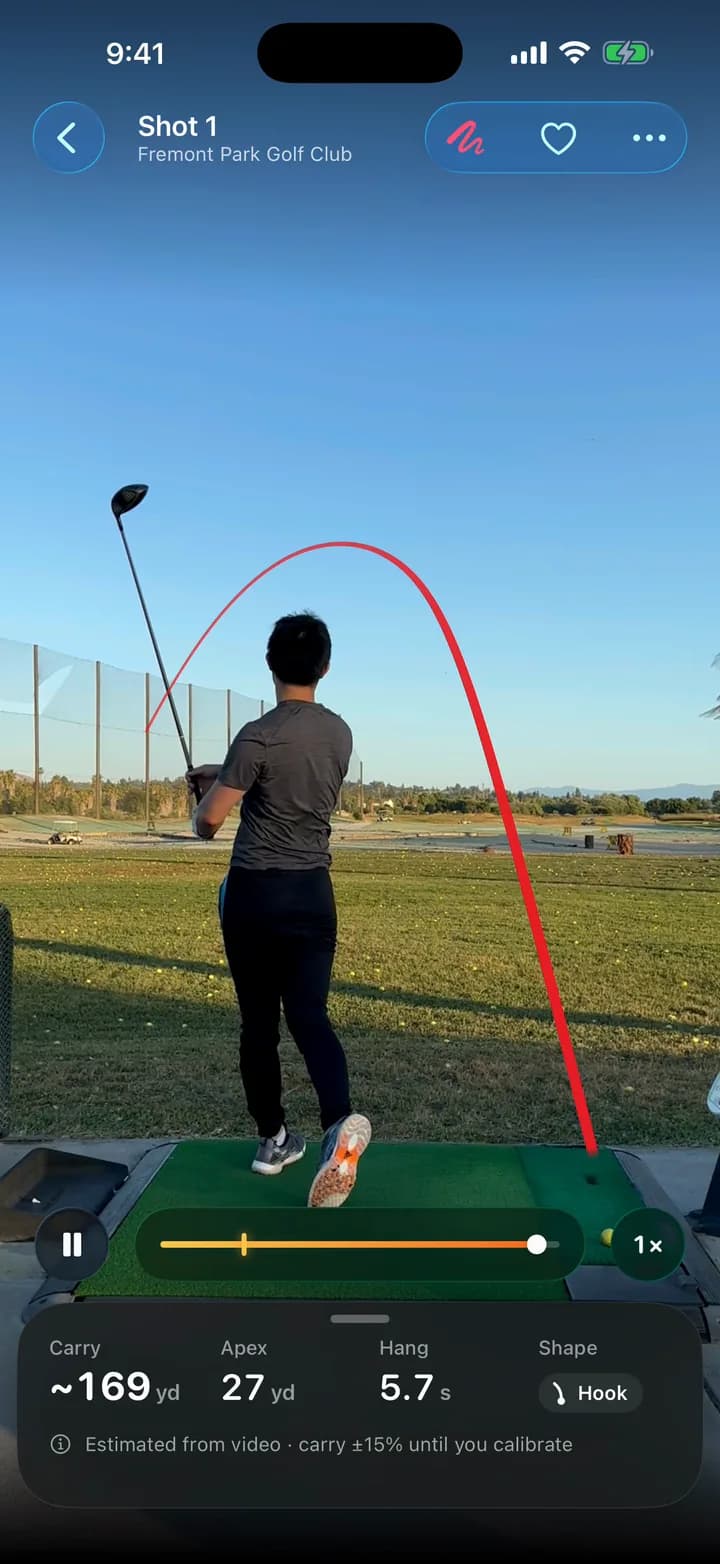
Record with the guided camera or import from Photos. ShotDraw finds every shot by itself, locks onto the ball and draws its flight on your video.
A golfer, a ball at address, a swing and that ball leaving. Practice swings and waggles are skipped.
The trace starts on the ball and follows a modelled flight to the ground. With your phone on a tripod, it stays still.
The line passes behind you, the way it does on TV.
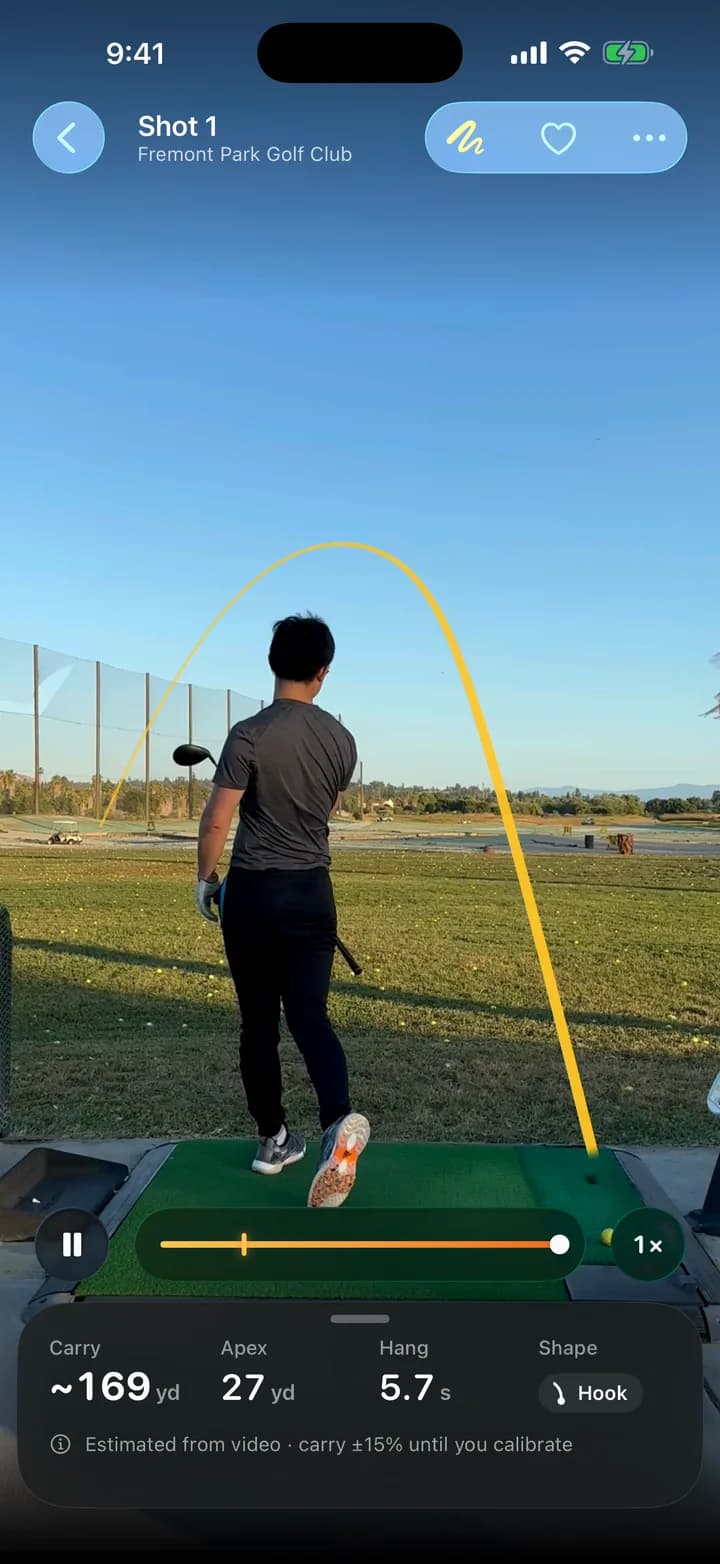
Solid, Gradient, Comet and Spark, the same in the player, your library and the videos you share. Every preview on this page is a screen recording of ShotDraw playing our own swings.
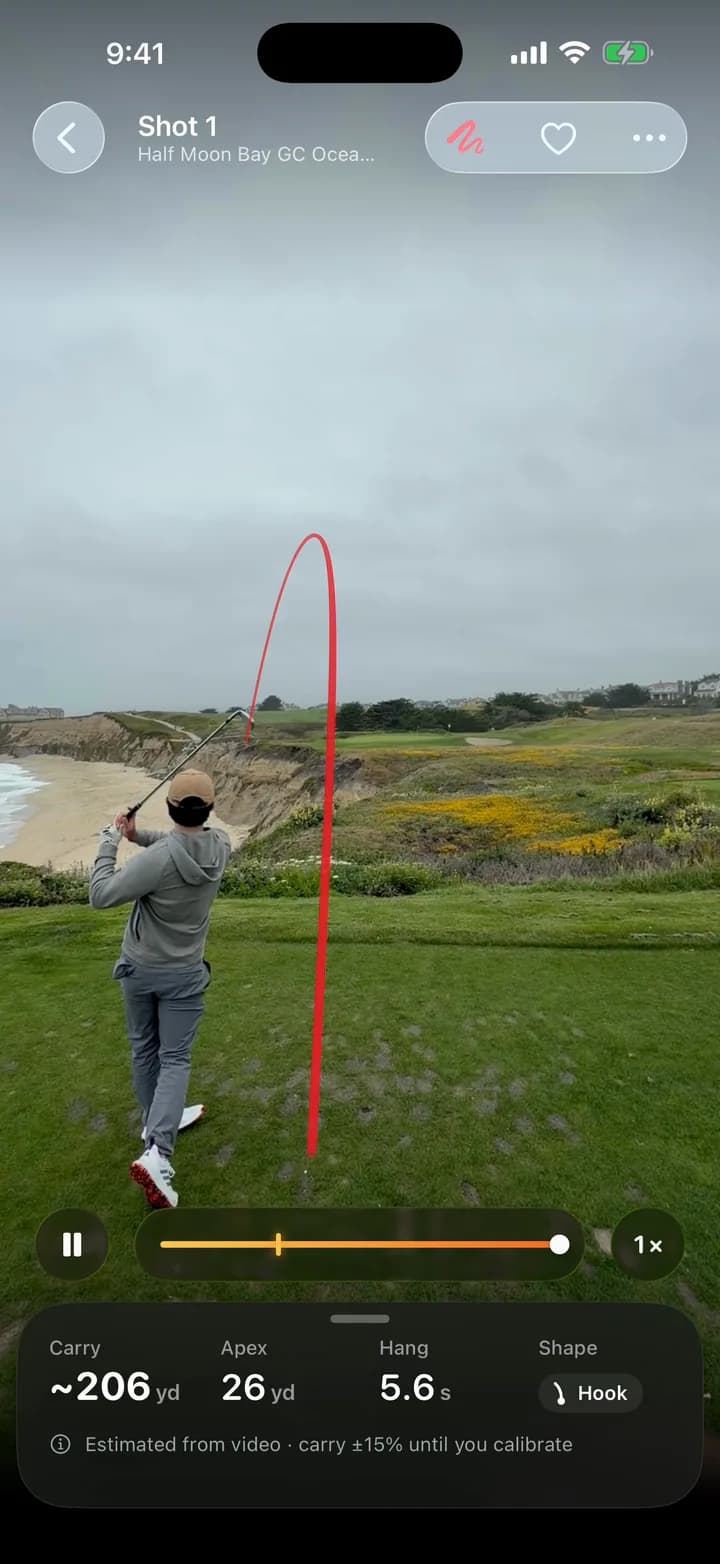
Solid
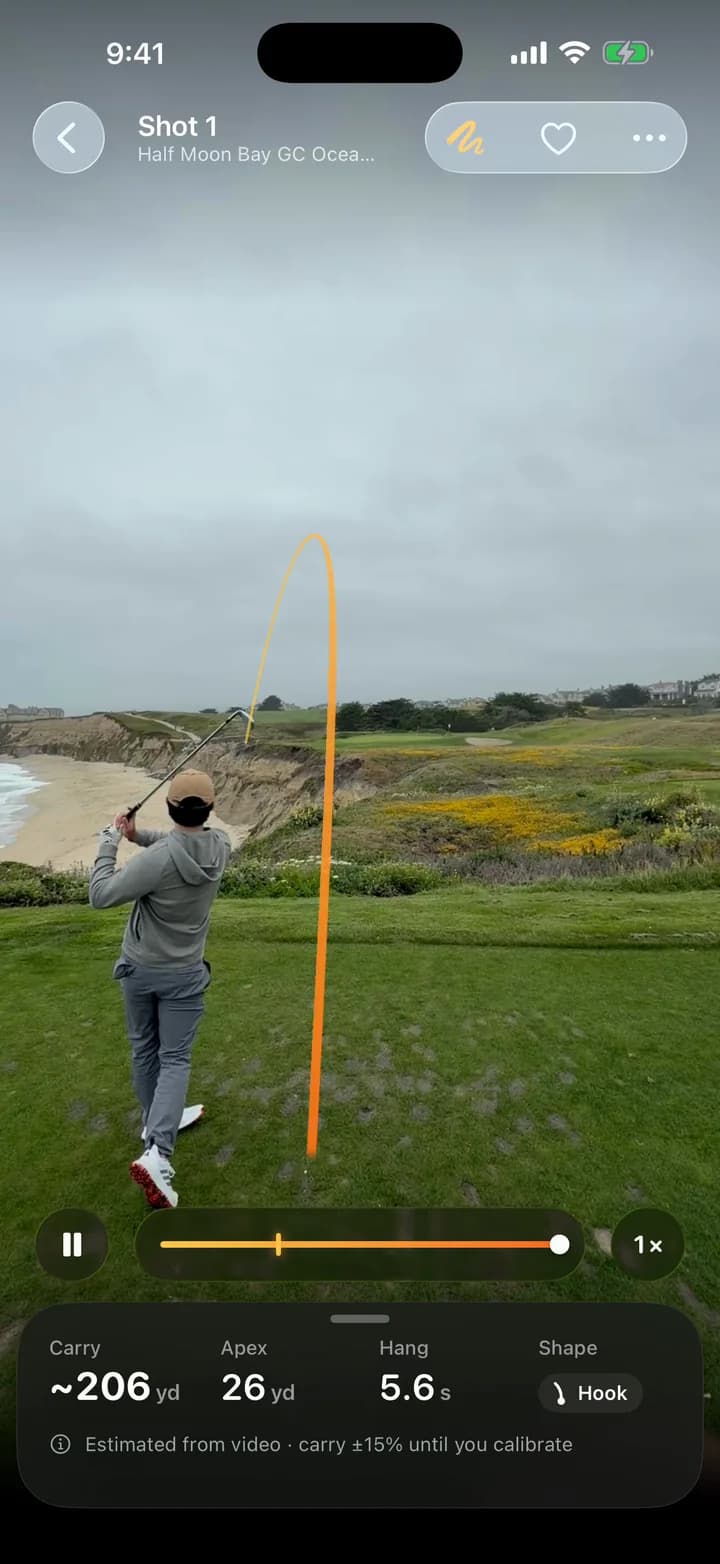
Gradient
Comet
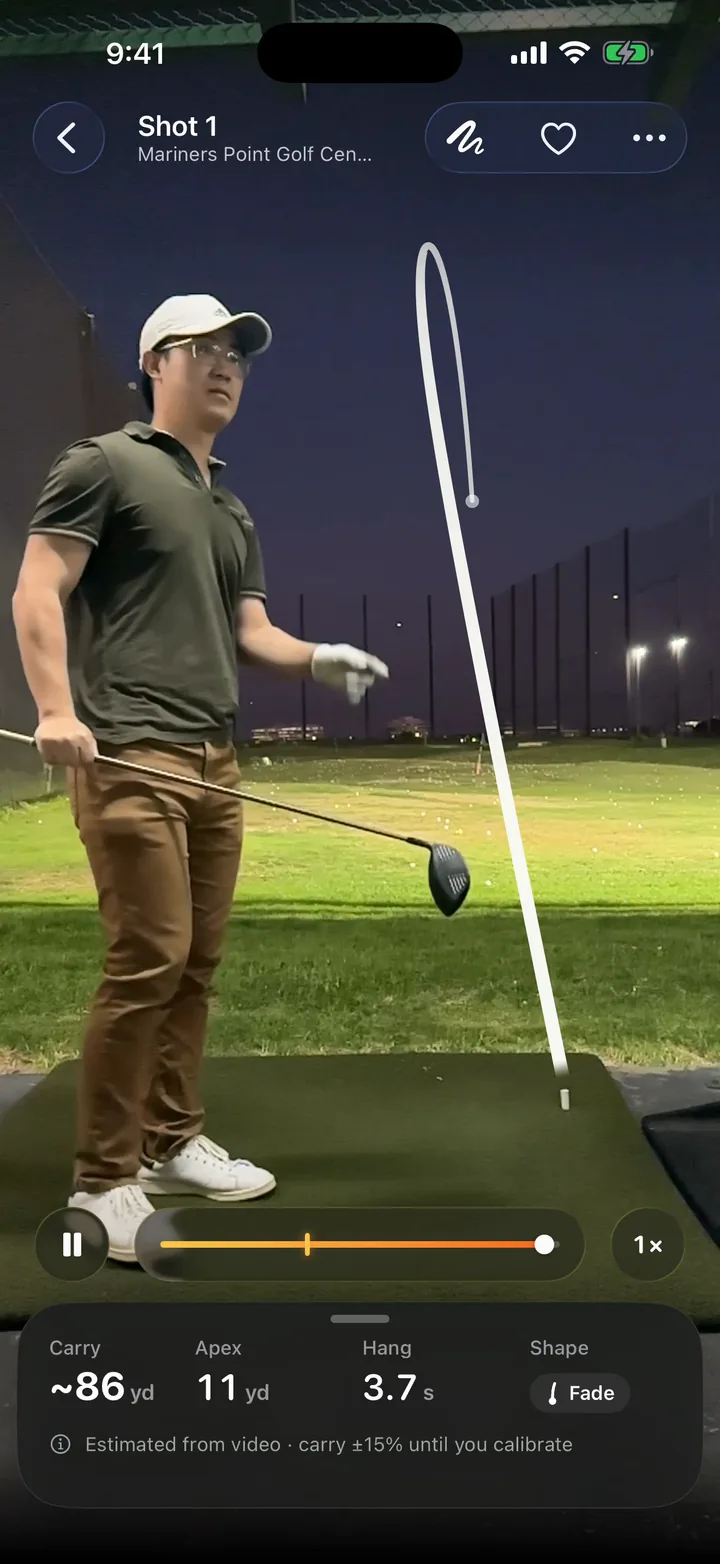
Spark
Flight
Side and top-down views of every shot, with your target line. Carry, apex, hang time, launch, start line and curve, each shown with its uncertainty.
Estimated from video · carry ±15% until you calibrate
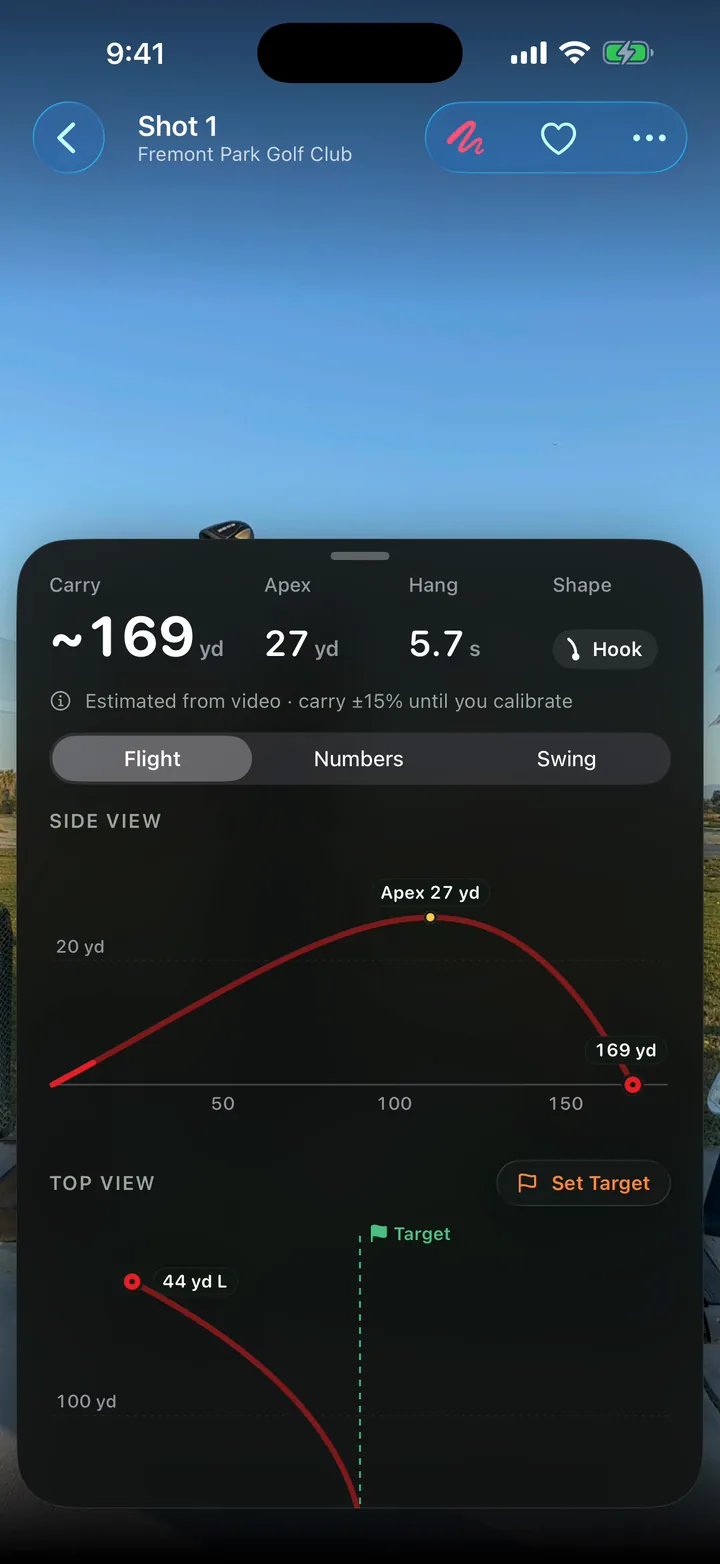
See how high it went and how far it curved. Set a target on the video and the top view measures from it.
Numbers are estimated from video, not measured by a launch monitor, and they say so everywhere they appear, including the videos you share. Spin and roll are modelled.
Tell ShotDraw how high your iPhone was and the estimates narrow. A session view overlays every shot to show your dispersion.
Swing
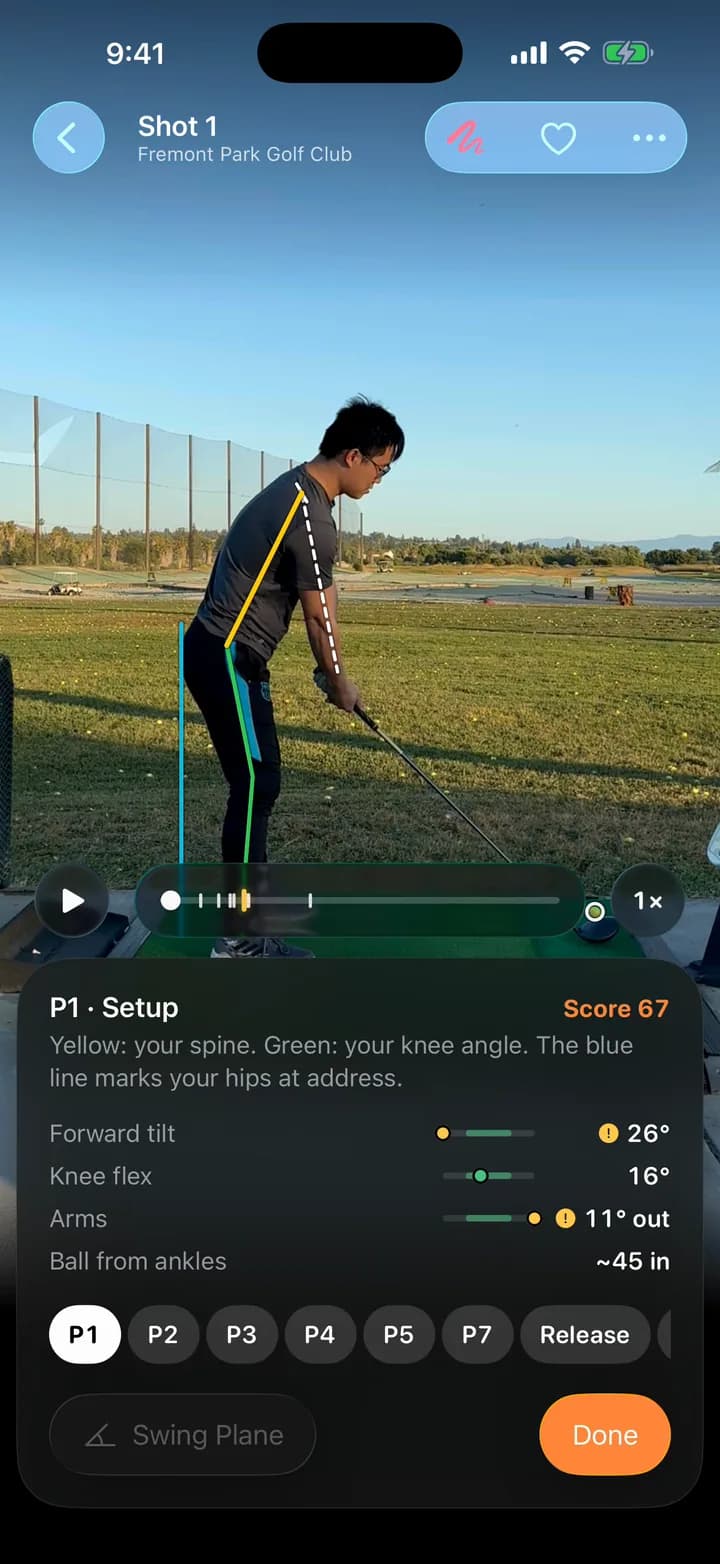
From the same down-the-line video: the club’s path, the swing positions from setup to finish, and how your posture moves through impact.
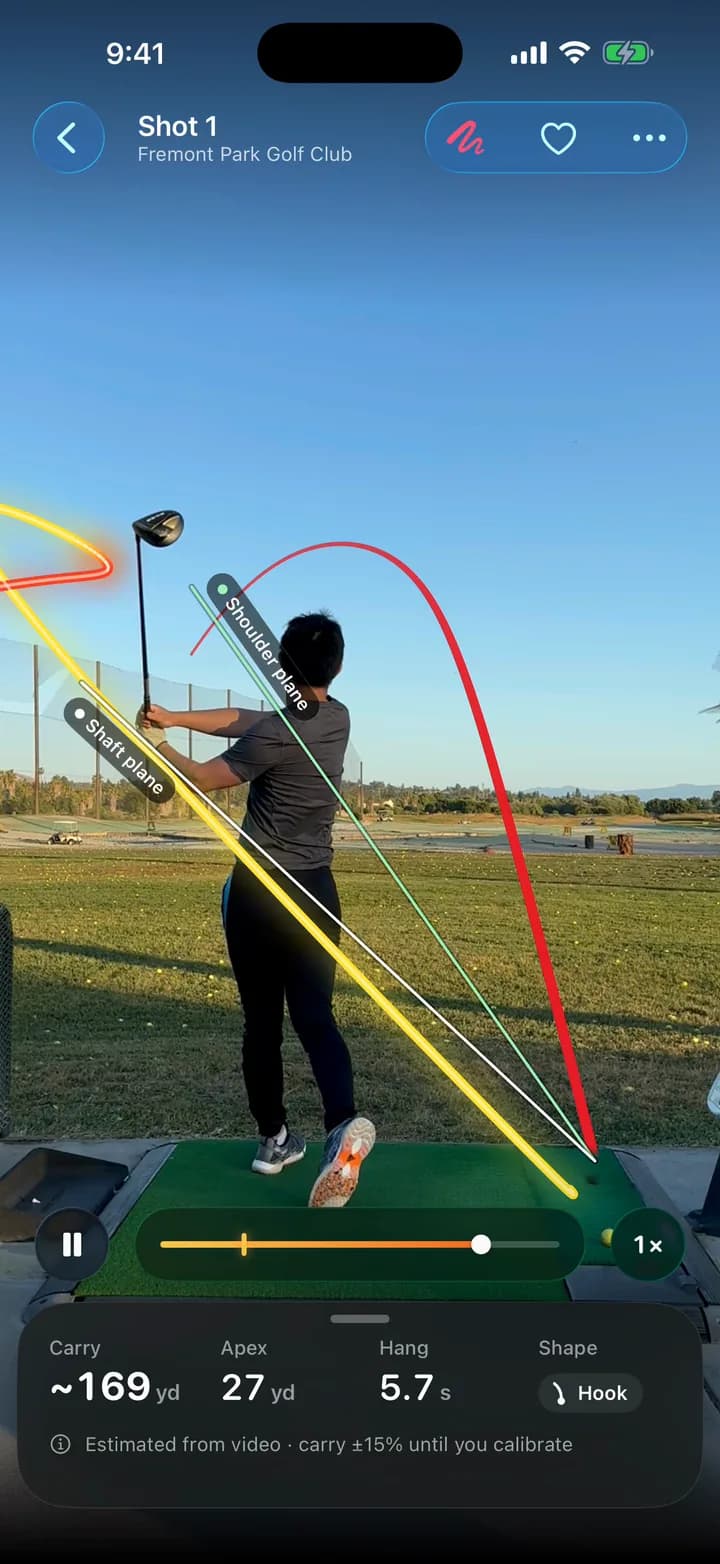
The clubhead’s trail through the swing, with shaft and shoulder planes from your address position.
Step from setup through the top and impact to the finish, with your spine, knees and hips drawn on the frame.
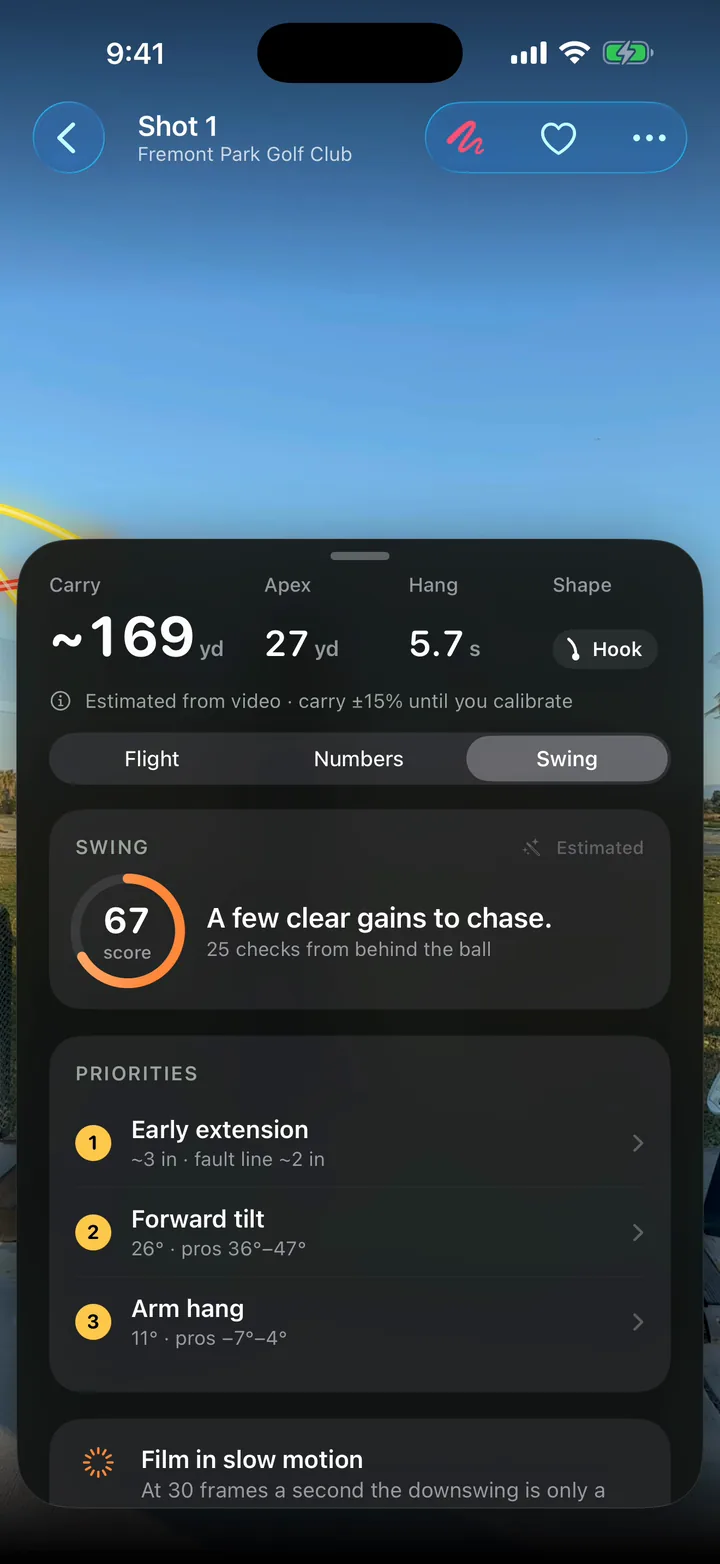
A score and your top priorities, compared with tour players. Golf technique only, not medical advice.
Course
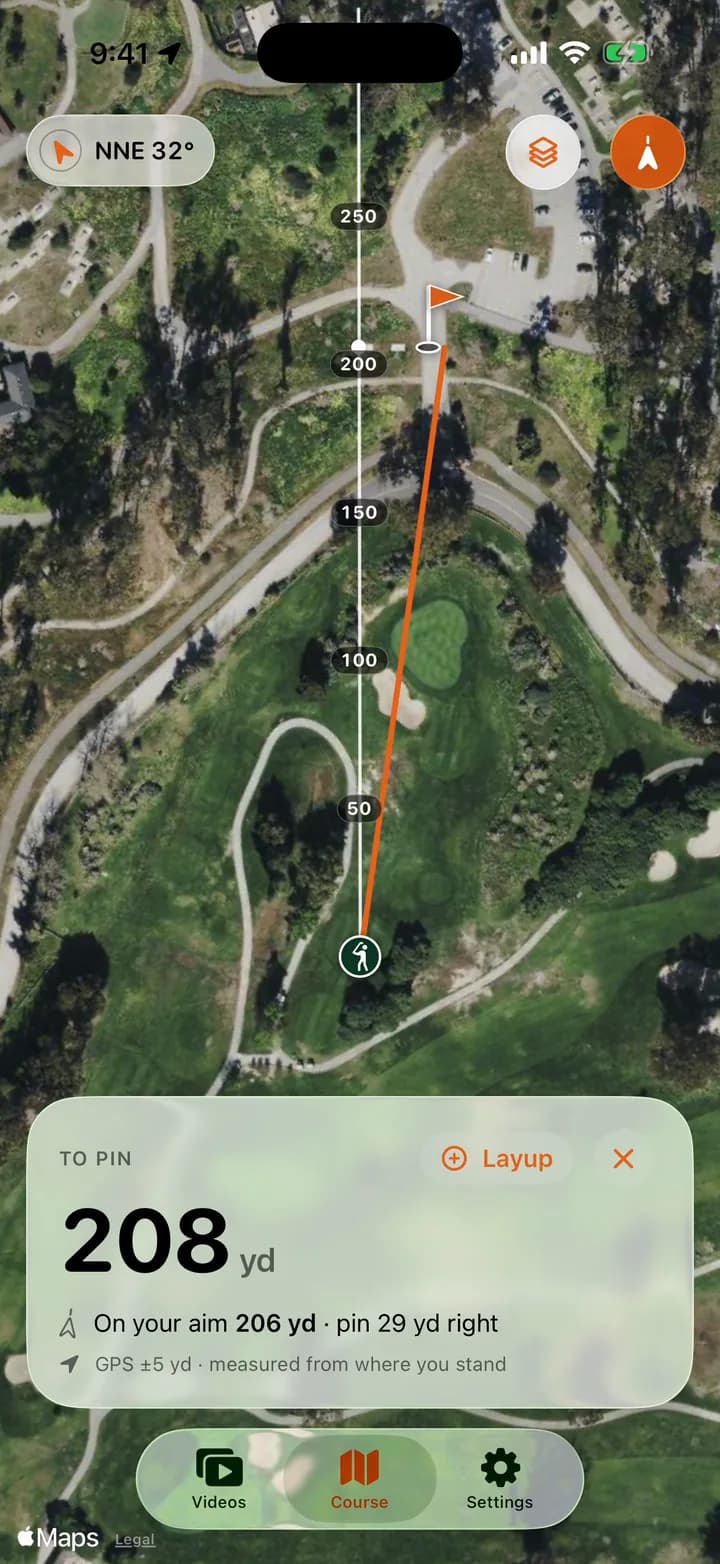
A satellite map turned to the way you face. Tap the green, a bunker or a layup and see how far it is.
The distance to the pin, the distance along your aim, and how far left or right of it the pin sits.
Add a layup and read both legs: to the layup, then on to the pin.
Distances come from your iPhone’s GPS and always show the accuracy of the fix. Your location stays on your iPhone.
And more
Every range session and round in one place, each shot with its shape and estimated carry. With location on, sessions are named after the course or range.
Export the traced video at full or quarter speed, with an optional caption, ready for Messages, Instagram or your coach.
If a flight can’t be followed, drag to the ball under a magnifier; the mark snaps to it and the flight refits as you go. Missed a shot? Tap the ball on the frame before impact.
Backswing to downswing, timed frame by frame from the video itself.
How it works
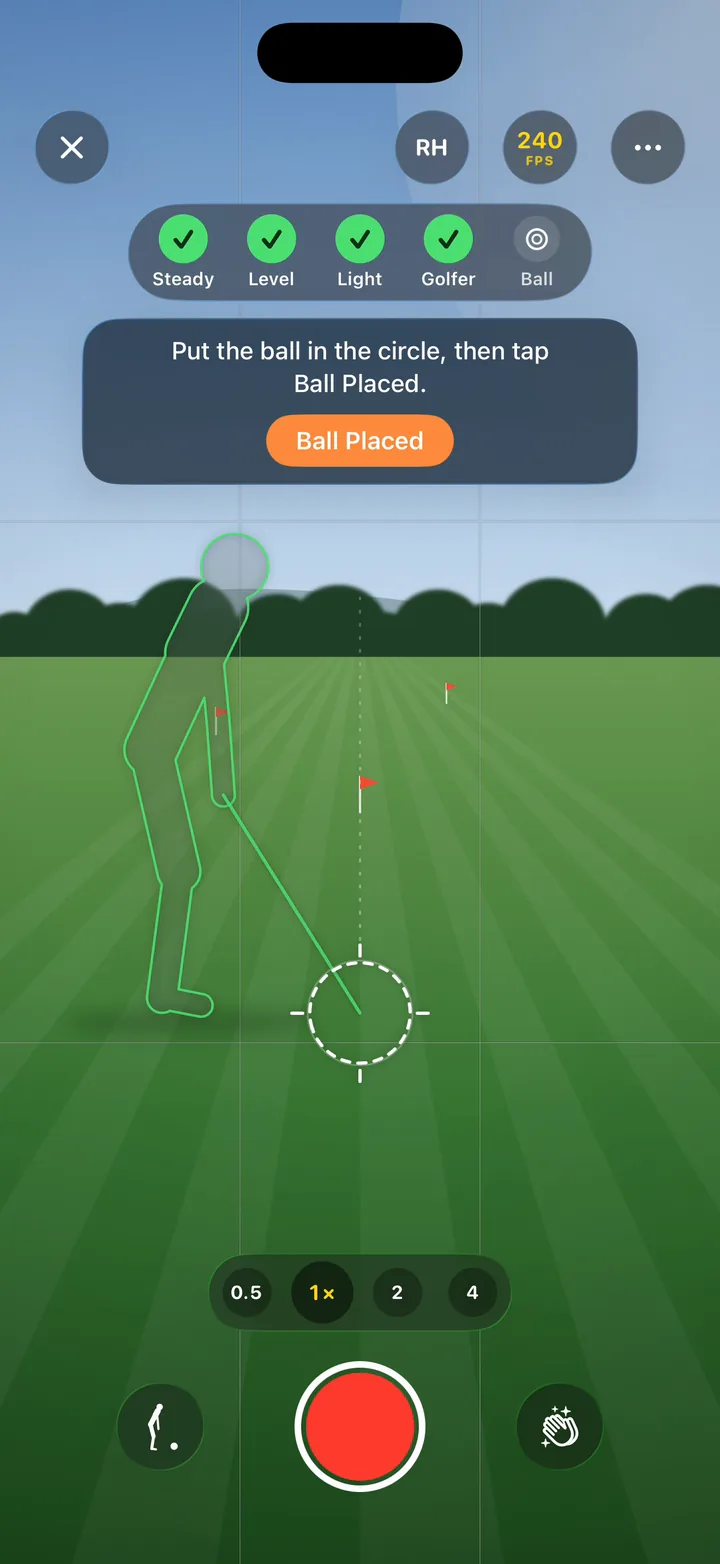
Stand behind the ball looking at your target, with your iPhone still. The guided camera shows where to stand and checks that the phone is steady and level. Or import a video you already have.
On your iPhone, it finds the golfer, the ball at address and the moment it leaves, then fits the flight. About a minute for a 30-second clip on a recent iPhone.
The ball’s flight plays on your swing, with the views, the numbers and your swing a swipe away. Slow motion gives the smoothest traces.
Everything ShotDraw does, from finding the ball to fitting the flight and checking your posture, runs on your iPhone with Apple’s frameworks and ShotDraw’s own on-device models.
Your videos and shots are stored on your iPhone. We have no servers that receive them.
Open the app and start. There’s nothing to sign up for and no password to forget.
No analytics, no ads and no third-party SDKs. The App Store label reads Data Not Collected.
Used on your iPhone for course distances and session names. Place names and maps come from Apple Maps.
ShotDraw is free to download. Version 1.0 has no ads, no subscription and no in-app purchases.
Carry, apex, hang time, launch, start line and curve are estimated from your video, not measured by a launch monitor or radar. Every number is shown with its uncertainty, and carry is about ±15% until you calibrate by entering how high your iPhone was (Settings › Numbers). Spin and roll are modelled, not measured.
Use them to see patterns, like your shape, your dispersion and whether a change made the ball fly higher, rather than as exact yardages. Distances on the Course tab come from your iPhone’s GPS and show the accuracy of the fix.
Down the line: stand behind the ball, looking at your target, with your iPhone still (a small tripod is ideal) and the whole golfer and ball in frame. Slow-motion video gives the smoothest traces. The guided camera shows you where to stand and checks the phone is level before you swing. Face-on video can be traced too, but the posture check and swing plane need down-the-line video.
Yes. Import from Photos and ShotDraw brings in the original video at its full frame rate, finds every shot in it and skips practice swings and waggles. One clip can hold a whole range session.
No. All analysis runs on your iPhone, there is no account, and ShotDraw collects no data. A video leaves your iPhone only when you share it yourself. Read the privacy policy.
iPhone and iPad with iOS 26 or iPadOS 26 or later. A recent iPhone analyzes fastest. An Android version is in development.
More answers on the support page.
Free to download. Android is in development.
Coming soon to theApp Store
Questions or ideas? support@shotdraw.com